
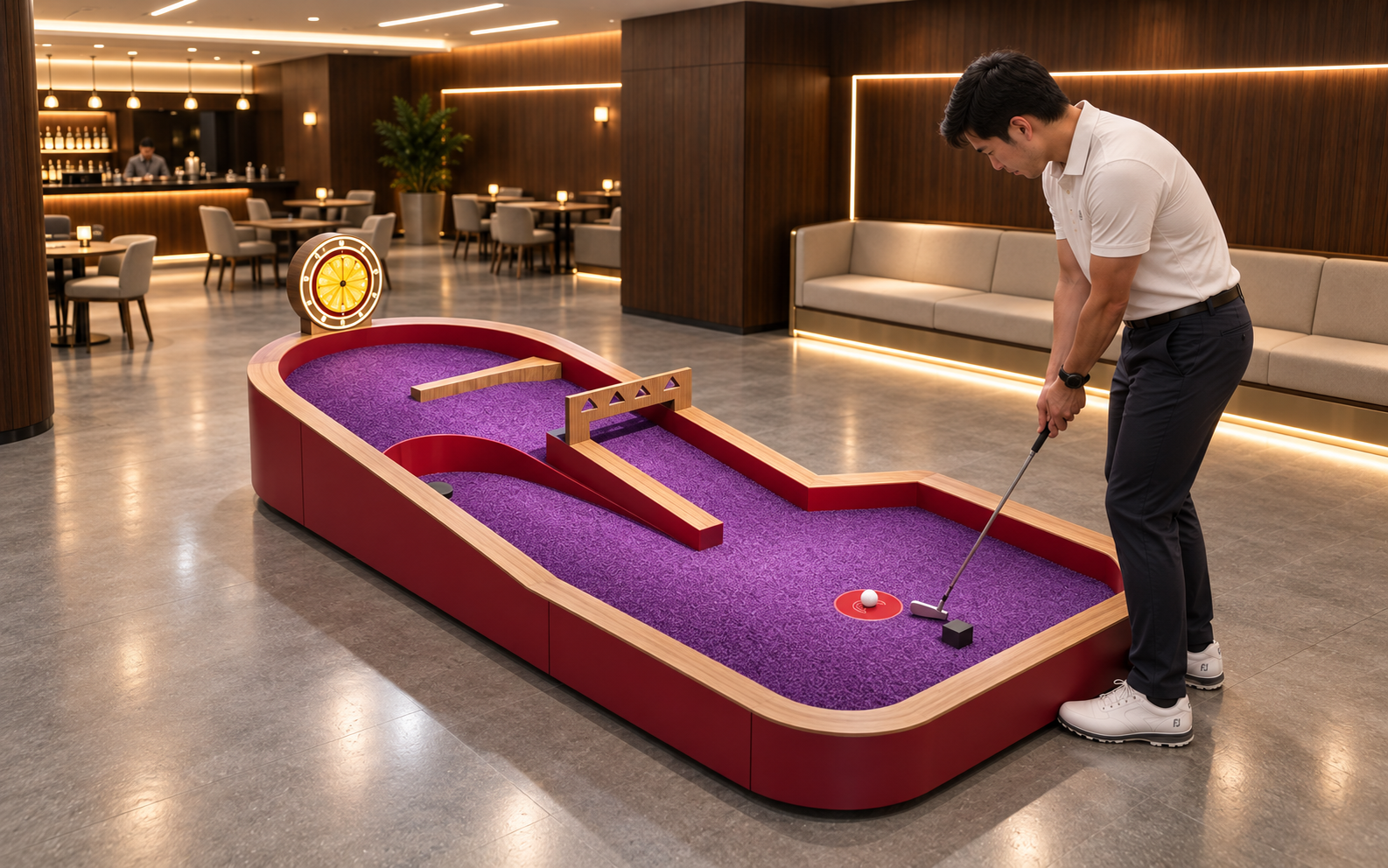
Compare an interactive hole by what the player does, what the system records and what staff must keep working. The eight features below are purchasing questions to test on the proposed equipment, rather than a ranking of suppliers.
1. A playing task that guests can understand
Ask someone who has not seen the hole before to explain the task after a short introduction. They should be able to identify the starting position, the target and the action that completes the turn. A dramatic obstacle helps only when the player can work out how to approach it.
Compare the actual tasks in the proposed course. NextPlay's Bowling Golf Hole uses a lane and pin targets; its Golf Target Shooting Hole uses scoring zones. These descriptions give you two different tasks to demonstrate. Trial them with the intended audience before deciding which belongs in the course.
| Feature | What changes for the player | Evidence to request |
|---|---|---|
| Clear task | Understanding where to start and what to achieve | A first-time-player demonstration |
| Obstacle and shot | Angle, strength or route decisions | Successful and missed attempts |
| Scoring scope | How actions become a result | Separate tests of the included scoring functions |
| Feedback | Seeing or understanding progress | Trial under the intended light and sound conditions |
| Variation | Alternative ways to play | Included modes or changes demonstrated |
| Occupied space | Approaching, playing and moving on | A measured plan and participation trial |
| Reset and upkeep | Waiting between turns and staff assistance | Full-turn, reset and maintenance demonstrations |
| Digital responsibilities | Displays, accounts and connected services | A written system scope and support allocation |
Eight purchasing comparisons, not an independently measured supplier ranking.
2. Obstacles that change the shot in a useful way
Observe the relationship between the obstacle and the putting decision. Does the player choose an angle, judge the strength of the shot or select a route? Write down the skill being asked for and the explanation staff need to give. That makes two visually different holes easier to compare.
For a physical example, the published Cyclone Spin Hole description shows a loop-ramp task in which the ball travels around a loop toward a central target. Ask for the operating demonstration of the quoted version. Include a missed shot and the method of recovering the ball, alongside the successful shot used in a sales presentation.
3. A scoring system with a clearly defined scope
Break the phrase 'automatic scoring' into the events the product actually recognises. Ask the supplier to demonstrate ball detection, player assignment, stroke counting and the final score as separate functions. Confirm which stages involve staff or player input and record those steps in the specification.
A useful demonstration follows a named player through several attempts, including an unsuccessful putt. Check what the display records at each stage. If a staff member corrects a result, observe who has permission to do that and how the corrected score is shown to the player. Keep the test consistent across the options you are buying.
| Capability to verify | Question for the demonstration | What to record |
|---|---|---|
| Ball event detection | Which event has the unit registered? | The event and its displayed response |
| Player assignment | How is this action assigned to the current player? | The assignment method and any manual step |
| Stroke counting | What happens after a putt that misses the target? | The actual counting method and limits |
| Final result | Which actions, bonuses or corrections change the score? | The rules, correction permissions and result display |
Test these capabilities independently; include only those specified for the quoted system.

Ask for a written description of the events that generate points, penalties and turn completion. It should match the demonstration and the equipment quotation. Where a capability depends on a separate ball, sensor, screen or licence, list that item in the same purchase scope.
4. Feedback that players can see and interpret
Review lighting, sound and screens from the player's position under the lighting planned for the venue. Check whether the ball, target and result are distinguishable, and whether the next player can recognise when it is their turn. A screen that looks clear from the entrance may be difficult to read beside the start position.
Request a demonstration of the settings included in the offer. Note who can change them and what happens after power is restored. If a shared venue needs a quieter operating mode, agree its operation with the supplier and try the game in that mode. Decide how staff will explain the result where guests need help hearing or reading the feedback.
5. Variation that suits the way you intend to run sessions
Compare the variations that are actually offered: alternative routes, different scoring objectives, physical changes or software modes. Ask what a staff member does to switch between them, how long the change occupies the hole and whether the next group needs a different explanation.
List included variations and optional content separately in the quotation. Establish the approval and support process for later updates, together with any licence terms. A buyer planning family sessions and private groups may value different variations; choose them against those sessions and trial the transition between formats.
6. An arrangement people can play and staff can reach
Review the occupied space around the product. Put a player, someone waiting and an accompanying person into the proposed drawing. Check the putting position, possible ball locations and the route to the next hole. Keep maintenance access in the same discussion so the installed unit can be inspected and serviced.
Use the dimensions and access information for the model being quoted. Ask the relevant site professionals to review local requirements for the proposed installation. Where seated participation is intended, include it in the demonstration and record any equipment or layout adjustments it requires. Product photography is a starting point for that discussion; a trial and a measured drawing provide the practical evidence.
7. A reset and maintenance routine your team can carry out
Watch a full sequence from one player to the next. Include a misplaced ball, an interrupted turn and a restart. Record the staff actions at each point, along with the instructions and parts needed. Use those observations to plan the operating role for the hole.
Request the inspection, cleaning and maintenance instructions for the quoted version. Clarify access to wear parts, how a fault is reported and how the unit is isolated while it is being checked. Demonstrate those procedures with the people who will operate the attraction, rather than leaving them solely in the handover folder.
| Demonstration step | Observe | Agree before ordering |
|---|---|---|
| Approach and explanation | How a new player takes their position | Instructions and occupied-space layout |
| Play and miss | The ball's route and recorded events | Recovery method and scoring behaviour |
| End the turn | How the result and next turn are shown | The actual completion and handover process |
| Interrupt and restart | Staff actions and system response | Restart procedure and authorised controls |
| Inspect and clean | Access to surfaces and service points | Maintenance instructions and responsibilities |
Suggested trial sequence. It does not establish a staffing ratio, capacity or maintenance interval.

8. Software and integration responsibilities that are written down
For any digital functions in the proposal, identify the boundary of the supply. List screens, local controllers, network requirements, accounts, reporting and any connection to booking or payment systems. Ask the supplier to identify what is included, what is provided by your venue and what depends on a third party.
Test the agreed interruption procedure as well as the normal game. Establish what staff do if a connection or component is unavailable and who supports restoration. If player information is collected, clarify its purpose, access, retention and the responsibilities of the parties involved before enabling that part of the service.
Compare the quotation against your business model. A venue selling individual rounds and one running private group bookings may need different session controls and reporting. Include licence renewals, replacement components and support arrangements in the cost comparison, then identify which features your team will actually use.
Bring the demonstration notes into the final equipment schedule. For each feature you choose, record the model, included components, settings, licence or service terms and the acceptance task. That gives the buyer, installer and operating team a shared description of what the hole is expected to do.
Three products to review for your course

Lucky Disc Golf Hole
A disc-shaped obstacle divides the putting layout. Ask which part of this task is detected and what the guest still enters manually.
View Details ›
Cyclone Spin Hole
A curved lane leads into a circular challenge area. Inspect the ball path, result display and reset procedure as separate functions.
View Details ›
Darts Golf Hole
The darts-inspired task uses numbered target areas. Compare the point rules with the player-identification and correction functions actually included.
View Details ›Compare the features for your proposed course
Share your intended audience, measured space and operating format. NextPlay can discuss a product selection and the demonstrations and documentation needed to evaluate it.