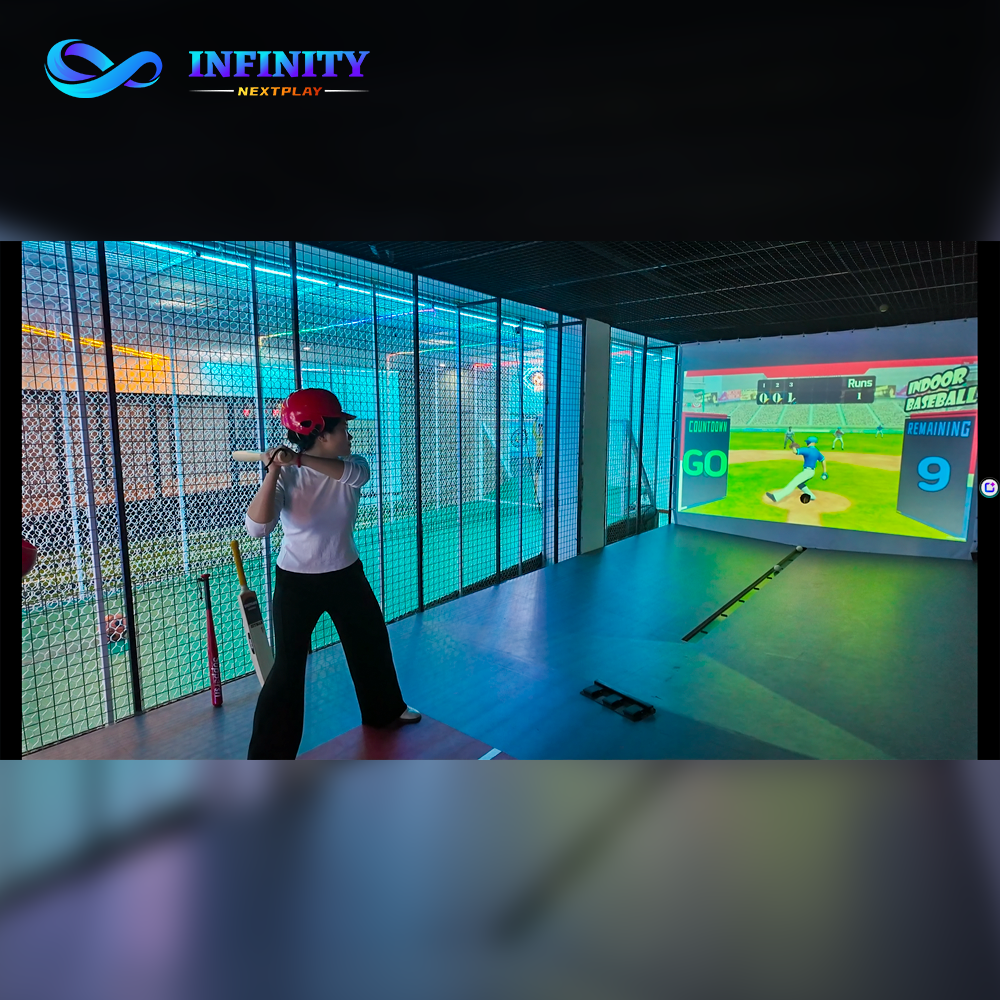
Venue owners choose attractions with care, then hand the layout to whoever draws the floor plan. That is backwards. The same baseball simulator in two different positions behaves like two different assets: one sits dark in a corner and collects a handful of plays a day, the other stands in the path of every visitor and collects impulse plays all evening. The equipment is identical - the difference is entirely placement.
Walk-in revenue is a visibility game. A guest who never sees the simulator can never try it, and a guest who tries it once becomes a candidate for the leaderboard, the league and the return visit. Placement decides the size of that funnel before the machine runs its first pitch. Position A - a back corner - shows the simulator only to customers who already know it exists. Position B - the entrance zone - shows it to every visitor, which is why the same unit can multiply its daily plays several times over.
| Factor | Back corner (A) | Entrance zone (B) |
|---|---|---|
| Visibility to walk-ins | ~10% of visitors | ~50% of visitors |
| Who sees it | Existing customers only | Every visitor |
| Impulse play rate | Low - no cue to try | High - seen and heard |
| Queue behavior | Empty or dead | Social - crowd attracts crowd |
| Revenue per square meter | Low | High |
The same logic applies venue-wide: revenue follows the guests, not the machine. Our customer flow guide shows how every attraction earns more when it sits on the route guests actually walk, and our revenue per square meter guide puts a number on the difference.
Three positions earn their square meters consistently: the entrance zone, the waiting area and the bar zone. Each one monetizes a different kind of guest - the one who has just arrived, the one who is waiting, and the one who is already drinking. Choose by what your venue has, because all three share the rule that the machine must be seen and heard from where the guests stand.
The three positions share one design: the player stands at the machine, the next guests wait behind a line, and the audience watches from the side. That small arrangement - player, queue, audience - is what converts a machine into a show. The waiting-area logic is covered in more depth in our repeat visits guide, where any reason to stay becomes a reason to return.
Most failed simulators fail in exactly three ways, and all three are layout decisions made before opening. Each mistake has a cheap fix, because the fix is repositioning - not more equipment.
The three fixes cost almost nothing and compound: signage pulls the first player, the queue creates the audience, and the audience converts the next player. That chain is the placement version of the impulse-play logic described in our average spend guide - the machine earns when it is treated as a show, not as hardware.
The headline number comes from a defined scenario, not a guarantee. Take a family entertainment center with 100 walk-ins a day. The question is what changes when the same simulator moves from a low-visibility spot to a high-visibility one.
| Step | Bad placement | Optimized placement |
|---|---|---|
| Walk-ins per day | 100 | 100 |
| Visibility | 10% of visitors | 50% of visitors |
| Interested visitors | 10 people | 50 people |
| Conversion rate | 20% | 20% |
| Daily plays | 2 | 10 |
The placement moves visibility from 10% to 50% while the conversion rate stays identical - 20% of interested visitors play. Daily plays go from 2 to 10, which is 8 extra plays a day. At $5 per play that is $40 a day, and across 30 days the number reaches $1,200 a month. That is the $1K Placement Revenue Blueprint: the equipment budget did not change, the staff did not change, only the position did.
The model is deliberately conservative. It counts only impulse walk-in play, leaving out leagues, parties, and the food and drink that a busier zone pulls to its side. The same visibility logic scales in our per-square-meter format guide, which compares how different attractions monetize the same floor space.
The zone scales from a mall corner to a dedicated premium setup, and the layout order stays the same at every size: screen first, pitch area in front of it, waiting zone behind the batter and audience seating to the side. The screen faces the traffic flow, not the wall, so passers-by see the game from twenty meters away.
Two layout rules protect the zone from its own success. First, the queue line must not block the main walking path - draw the line away from pedestrian flow or the zone becomes a traffic jam that staff have to police. Second, the seating faces the screen, because an audience that watches the batter becomes the next queue. See the zone drawn into your own floor plan with the free 3D layout design, or review the full-venue arrangement in the sportainment solution.
A good position gets the machine seen; the zone design gets it played. Three elements do the conversion work, and all three are cheap to add after installation.
The leaderboard is the strongest of the three because it makes the machine self-promoting: the player who beats the daily score stays to defend it, the audience watches the duel, and the next challenger steps up. That cycle is the same behavior our repeat visits guide describes venue-wide - a visible record to beat brings the same guest back tomorrow.
Price the options so the single play leads into the card, not into the exit. A $5 trial that visibly credits toward the 10-play card converts the first experimental pitch into a returning player; card holders then play on autopilot whenever the zone is free. The impulse-play flow above is covered across the whole floor in our package design guide.
The $1K model counts walk-in impulse play only, which makes it the floor. Three bookable streams layer on top of it, and each one pays at a higher rate per guest because it is sold in advance.
| Revenue stream | Offer | Example value |
|---|---|---|
| Birthday parties | Sensory sports package with host and leaderboard | $299 per party |
| Corporate events | Team batting challenge with scoring and prizes | $1,000+ per event |
| Sports training | Monthly membership with session tracking | Recurring monthly |
The bookable streams change the economics of the zone: the space earns during the day from training and on weekends from parties, while walk-in play fills every gap in between. A zone with three streams has no dead hours. The party stream in particular follows the same packaging logic as our average spend guide - a named package sells more than a machine rental.
The placement playbook fits three venue types, and each one should place the machine where its own traffic lives. Choose the position that matches the guest you have: families at an FEC, match-day crowds at a sports bar, or passers-by at a mall venue.
The venue types overlap on one decision: the zone sits on the route, faces the traffic, and shows a live leaderboard. Beyond that, the selection is about which guest you convert - and that choice is covered by the wider attraction-mix planning in our revenue per square meter guide, which ranks attractions by the visitors they actually convert.
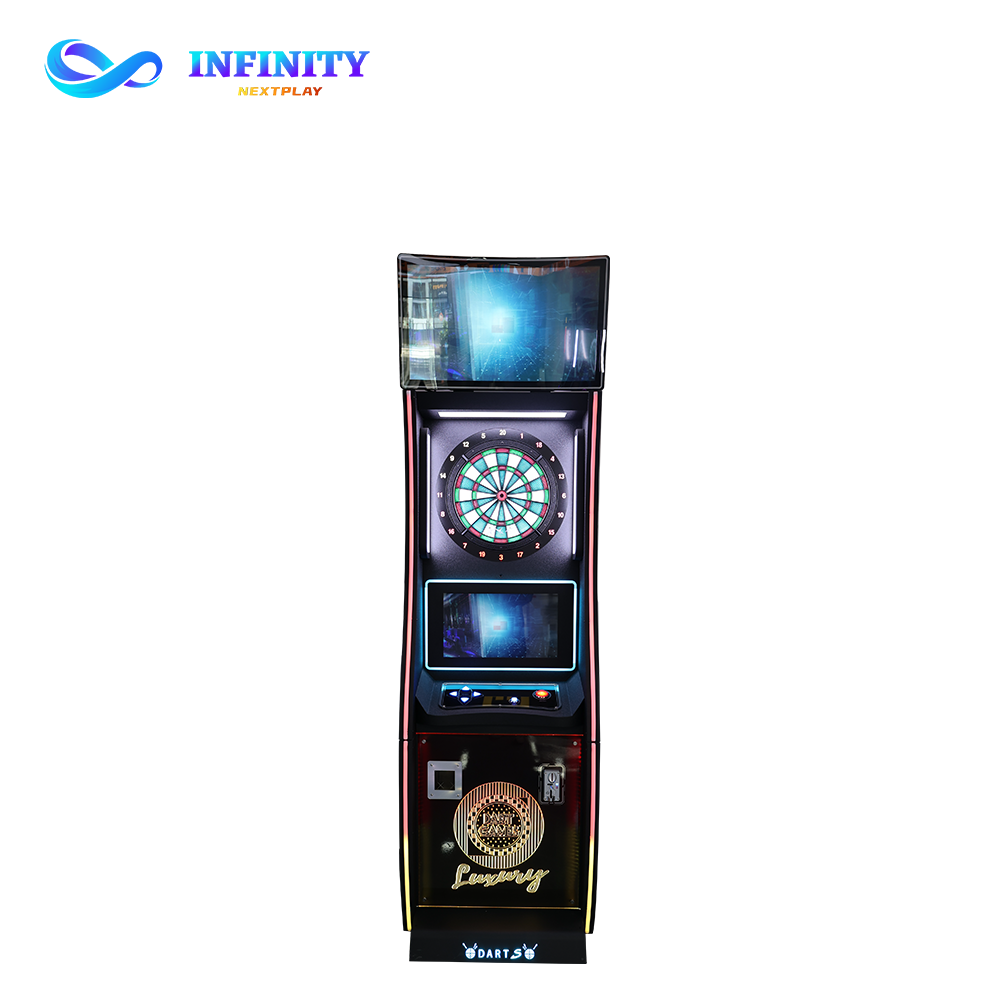
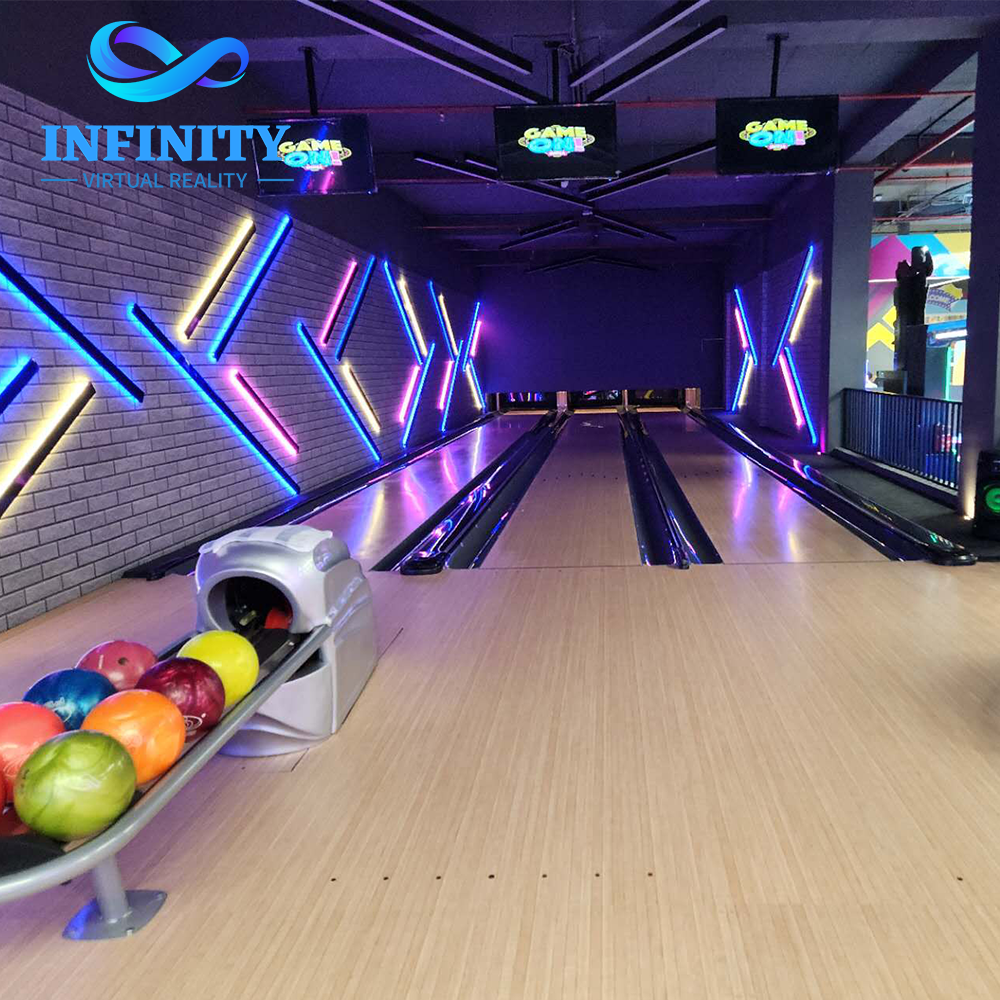
The three products used in this blueprint are available directly from NextPlay: the immersive baseball batting simulator for the placement hero, the online dart machine X7 for the waiting zone, and the duckpin bowling system for the booked-anchor slot between walk-in waves.
Three positions earn consistently: the entrance zone, the waiting area and the bar zone. All three share one rule - the machine must be seen and heard from where the guests stand.
A compact setup fits 15-20 sqm in a mall or bar corner; a standard zone runs 20-30 sqm with a leaderboard; a premium setup needs 30-50 sqm with scoreboard, seating and branding.
In the scenario in this guide, moving from 10% to 50% visibility raises daily plays from 2 to 10 - eight extra plays at $5 each, about $1,200 per month.
Yes - birthday packages at about $299, corporate events at $1,000 and up, and monthly training memberships layer three bookable streams over impulse play.
Putting it behind walls, leaving no waiting or audience space, and skipping signage. All three are cheap layout fixes that compound into steady play.
Send us your floor plan and your daily walk-in traffic. Our team places the zone where the guests actually walk, sizes it to your space and starts with a free 3D layout design.